
Your Interactive Kiosk — Now in Every Visitor’s Pocket
HootBoard’s Mobile App mirrors your kiosk experience and makes it portable. Deliver directions, announcements, alerts, and engagement tools — without requiring logins or app installs.
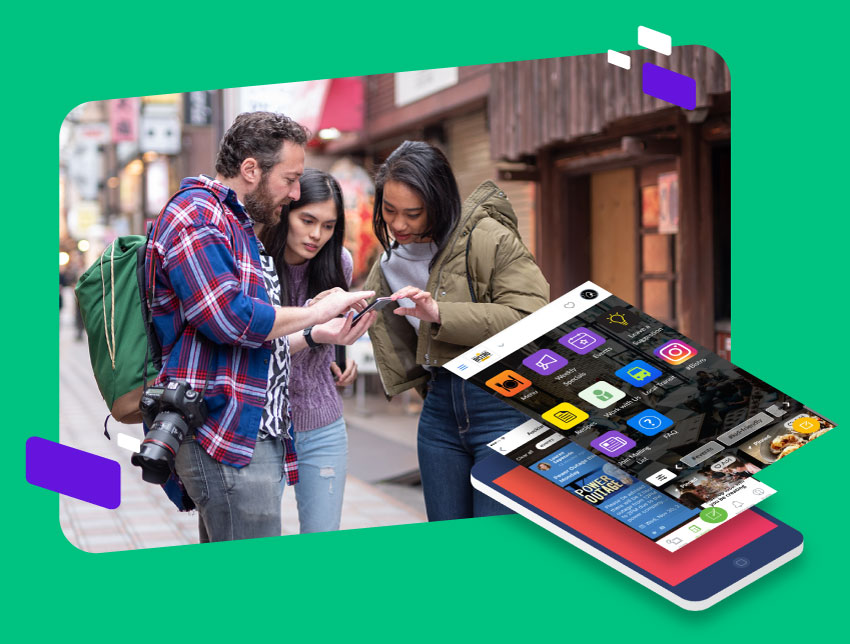
Extend the Kiosk Experience — Beyond the Screen
Stay Connected On the Go
Reach users even after they’ve walked away from the kiosk. Keep them informed wherever they are.
Access Maps, Events & Content Anytime
Let your audience explore events, announcements, or navigate venues straight from their phones.
Portable Fun
Enable selfies, games, and engagement tools — making your kiosk experience memorable beyond the screen.
Real-Time Notifications
Push alerts and updates that matter — emergencies, deals, or event changes.
No App Store Needed
Users launch the web app instantly with a QR code — no installs required.
Everything HootBoard Offers — Now in Your Visitor’s Pocket
QR Access
Instantly launch the mobile experience by scanning a code on the kiosk — perfect for tourists, guests, or students.
Live Sync
Kiosk and mobile content stay synced, so any updates appear immediately on mobile too.
Favorites & Saved Content
Users bookmark posts, announcements, businesses, and directions to revisit later.
Push Notifications
Send timely updates — campus closures, hotel promotions, HR alerts, or event changes — to user devices.
Mobile Wayfinding
Offer smart, GPS-like walking directions to help users navigate campuses, city centers, or venues.
Engagement Tools On-the-Go
Let users access games, surveys, and selfie tools — creating shareable moments without returning to the kiosk.
You Asked. We Answered.
Here are some of the most common queries we hear from customers.
What is the HootBoard mobile app?
It brings your digital bulletin board to users’ phones, letting them stay updated, interact with posts, and receive notifications anytime, anywhere.
Is the mobile app available for both iOS and Android?
Yes. It’s available on both the Apple App Store and Google Play Store.
Can users receive real-time notifications on mobile?
Absolutely. The app supports push notifications for announcements, events, and other key activities.
Does the mobile app sync with kiosk and web content?
Yes. All content — posted via kiosk, desktop, or mobile — stays perfectly in sync across platforms.
What actions can users take inside the app?
Browse posts, comment, receive updates, scan QR codes, and even manage or schedule their own posts if given permissions.
Can admins moderate posts from the app?
Yes. Approve posts, manage expiry dates, assign content to collections, and control what appears on kiosks or signage.
Is the mobile app branded for our organization?
Your organization’s logo, name, and board content are front and center, giving users a familiar, branded experience.
Do users need a login to access our board on mobile?
Access can be open or restricted. Public boards are open via link or search; private boards require login or approval.
Can users share HootBoard content from the app?
Yes. Users can copy links or use built-in share options to distribute posts via messaging, email, or social media.
How do we get started with the mobile app?
Schedule a demo to explore the mobile experience, or download the app and connect to your board.
Your Kiosk Experience — Extended Into Every Pocket
HootBoard’s mobile companion turns your static screen into a portable, powerful communication tool. Let users take your brand with them wherever they go.